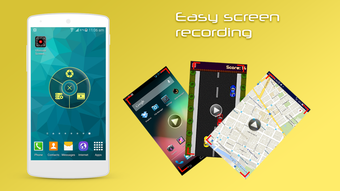

Download Ultimate Screen Recorder APK – screen recorder, video recording, HD recording, audio recording, Android app, free screen recorder, screen recording tool, video editing, mobile recording, recording software, video capture, content creation, screen capture, video editing tool, mobile screen recorder, recording app, screen recording for Android, free recording app, mobile video editing, video capture tool, screen recording utility
Overview
Ultimate Screen Recorder is a free Android application developed by Iris Studios and Services, designed to meet the growing demand for accessible screen recording tools on mobile devices. The app enables users to capture screen activity in high definition, making it suitable for a range of practical applications such as creating tutorials, recording gameplay, producing educational content, or documenting app features. Its core functionality centers around capturing both visual and audio elements simultaneously, including device audio and user voice via the microphone. This dual-audio capability enhances the usability of recordings for creators and educators alike.
The software is tailored for Android users seeking a straightforward yet powerful screen recording solution without the need for root access—a notable advantage for users who prefer not to modify their device settings. Recording is initiated through a simple one-touch method, reducing the learning curve and improving accessibility for beginners. The output is saved directly to the device’s internal memory, ensuring ease of access and management. The app supports multiple video formats, including MP4, MKV, MOV, and AVI, as well as various audio formats like MP3, OGG, WAV, and AAC, offering flexibility in post-production workflows.
Given its free availability and compatibility with Android 5.0 and above, Ultimate Screen Recorder serves as a practical tool for content creators, students, teachers, and casual users who need reliable screen capture functionality on their mobile devices. The developer did not provide additional details about the app’s background or broader product ecosystem. However, its focus on simplicity, accessibility, and feature-rich output suggests a targeted approach to mobile screen recording needs.
Key Features & Capabilities
- HD Screen Recording – Capture screen content in high definition with customizable resolution and frame rate settings, ideal for producing clear and professional-quality videos.
- Simultaneous Audio Capture – Record both device audio and your voice through the microphone, enabling narration and commentary during gameplay or tutorials.
- One-Touch Recording – A streamlined interface allows users to start and stop recordings with minimal effort, improving workflow efficiency for quick captures.
- Multiple Output Formats – Save recordings in various video formats including MP4, MKV, MOV, and AVI, and audio in MP3, OGG, WAV, or AAC, supporting diverse editing and sharing needs.
- On-Screen Annotations – Add text overlays and logos directly to recordings, enhancing visual communication for instructional or promotional content.
- No Time Limit – Record sessions of any duration without interruption, making it suitable for long-form content creation such as lectures or extended gameplay.
- Root-Free Operation – Functionality is fully accessible without requiring root privileges, ensuring compatibility with a wide range of Android devices.
These features collectively support a broad range of real-world use cases. For instance, educators can record step-by-step app tutorials with voice explanations and on-screen highlights. Content creators can produce high-quality gameplay videos or social media clips with custom branding. Students may use the app to document study sessions or app-based assignments. The flexibility in format options also allows seamless integration with third-party editing tools, enhancing post-production possibilities.
User Interface, Workflow & Performance
The user interface of Ultimate Screen Recorder is designed with simplicity and functionality in mind. The main screen features a central recording button, allowing users to initiate a recording with a single tap. Additional settings, such as resolution, frame rate, and audio source selection, are accessible through a clearly labeled menu, ensuring intuitive navigation. The layout avoids clutter, prioritizing essential controls while maintaining access to advanced options.
Workflow efficiency is enhanced by the one-touch recording method, which minimizes setup time and reduces the risk of missing key moments. Users can configure recording preferences before starting, ensuring consistency across sessions. The app saves recordings directly to the device’s internal storage, which simplifies file management and eliminates the need for external transfer tools.
Performance observations are based on general software behavior patterns. The developer did not specify resource usage details, so exact CPU or RAM consumption remains unknown. However, the app’s lightweight size of 15.4 MB suggests optimized resource handling. Stability during extended recordings was not detailed, but the absence of reported crashes in the provided information indicates reliable operation under normal conditions. The app is updated regularly, which may contribute to ongoing performance improvements and compatibility fixes.
Compatibility & System Requirements
Ultimate Screen Recorder is compatible with Android 5.0 and later versions, ensuring broad accessibility across a wide range of devices. This includes most modern smartphones and tablets running on the Android operating system. The app has a file size of 15.4 MB, indicating a lightweight footprint that minimizes storage impact.
Exact system requirements were not listed. The developer did not provide information on specific hardware specifications such as processor speed, RAM, or GPU capabilities. Platform compatibility information is limited to the OS version range. Installation and operation are expected to function on devices meeting the minimum Android 5.0 requirement, though performance may vary based on individual hardware configurations.
Pros and Cons
Pros
- Free to download and use with no time limits
- Supports HD recording with customizable resolution and frame rate
- Records both screen and audio (device + microphone) simultaneously
- One-touch recording for quick and easy use
- Offers multiple video and audio output formats
- Allows on-screen text and logo additions for enhanced content
- Operates without requiring root access
Cons
- Exact system requirements were not specified
- Performance details such as CPU or RAM usage were not provided
- Limited information about update frequency beyond "regular updates"
- No mention of cloud storage or sharing integration
- Interface may lack advanced editing tools beyond basic annotations
FAQ Section
Is Ultimate Screen Recorder available for free?
Yes, the app is free to download and use. There are no in-app purchases or subscription fees mentioned in the provided information.
Does the app require root access to function?
No, the app operates without root privileges. It is designed to work on standard Android devices without system-level modifications.
What Android versions are supported?
Ultimate Screen Recorder is compatible with Android 5.0 and higher. This ensures functionality on most current and older Android smartphones and tablets.
Can I edit my recordings after capture?
The app allows basic on-screen annotations such as adding text and logos during recording. However, detailed video editing features like trimming, cutting, or transitions were not specified.
How are recordings saved and accessed?
Recordings are saved directly to the device’s internal memory. Users can access them through the default file manager or media app on their Android device.
Final Thoughts + CTA
Ultimate Screen Recorder stands out as a reliable, free, and accessible screen recording solution for Android users. Its combination of HD recording, dual audio capture, and on-screen annotation tools makes it a versatile choice for educators, content creators, and casual users. The one-touch recording method and root-free operation enhance usability, while support for multiple file formats ensures compatibility with various editing and sharing platforms.
Although detailed performance metrics and system requirements were not provided, the app’s lightweight design and regular updates suggest ongoing development and optimization. For users seeking a straightforward, no-cost screen recording tool on their mobile device, this app delivers strong value with minimal friction.
Download Ultimate Screen Recorder now






.png)
